Open source · Self-hosted · Codex + Kimi + Claude

Your agents keep working.
Stay close to every project.

Several servers. Multiple coding agents. One place to see what is running, handle decisions and find out how a task was resolved — from your desktop or phone.

No login required for the demo; its main console interface is currently Chinese. All projects and records are fictional; actions remain in your browser. Real terminals, vendor models and execution nodes require your own installation.

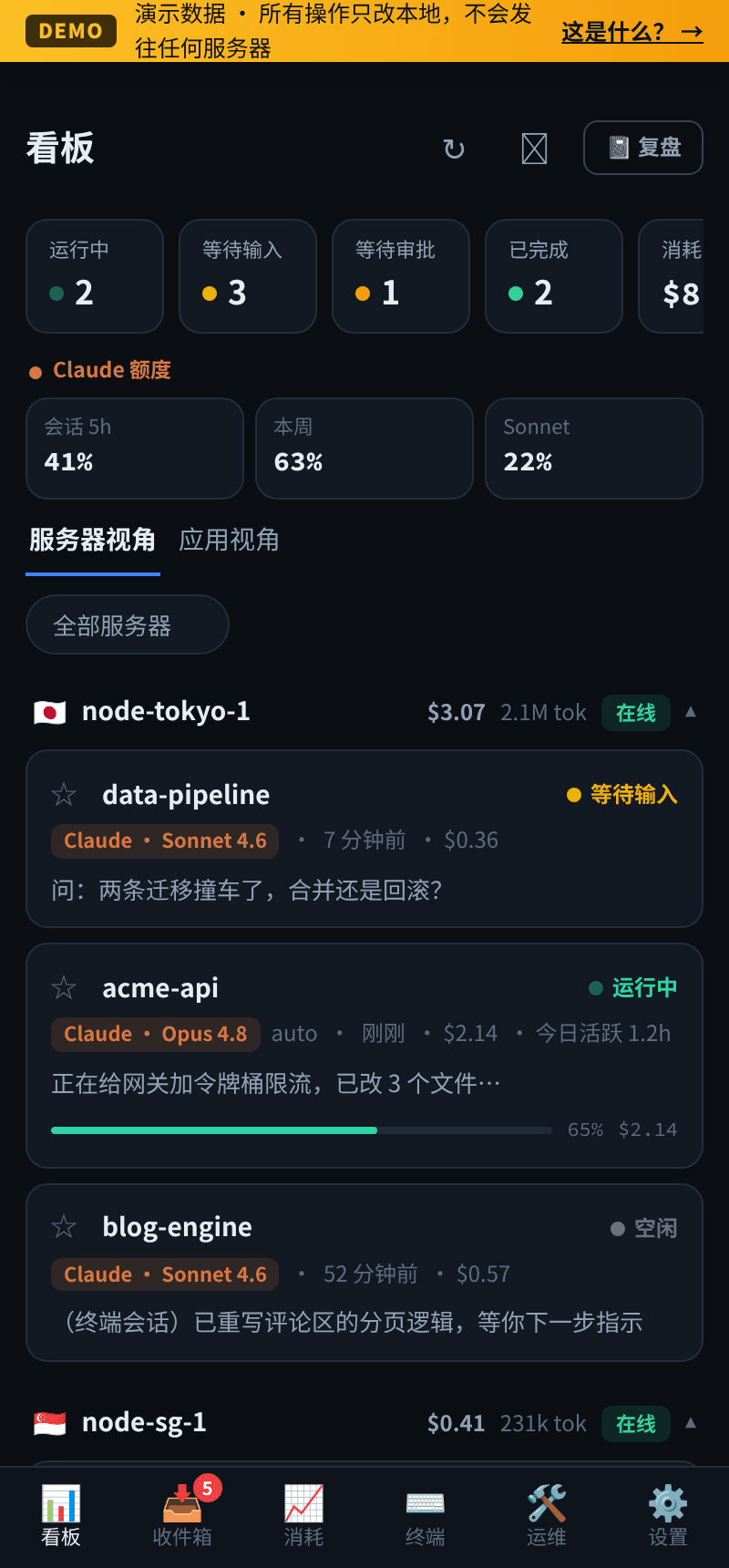
Example project dashboard with fictional server data

Why use Web Agents?

For maintainers who work across remote projects and need both oversight and traceability.

01 · FIND WHAT NEEDS YOU

Approvals, questions and review requests can stop a task. A shared inbox helps you find the pending decision without checking each terminal.

02 · SEE ACROSS SERVERS

Follow project state from one dashboard, grouped by server or application. Keep existing Linux projects and CLI accounts while adding a browser control layer.

03 · UNDERSTAND WHAT HAPPENED

Go beyond the latest chat message. Retrieve requests, reported results, methods and remaining risks with source and coverage information.

What you can do

The demo shows the main interface; actual execution and external integrations need self-hosting.

Multi-server dashboard

See running, approval, input, idle, completed and error states. Add, test, disable or remove execution nodes in settings.

A shared decision inbox

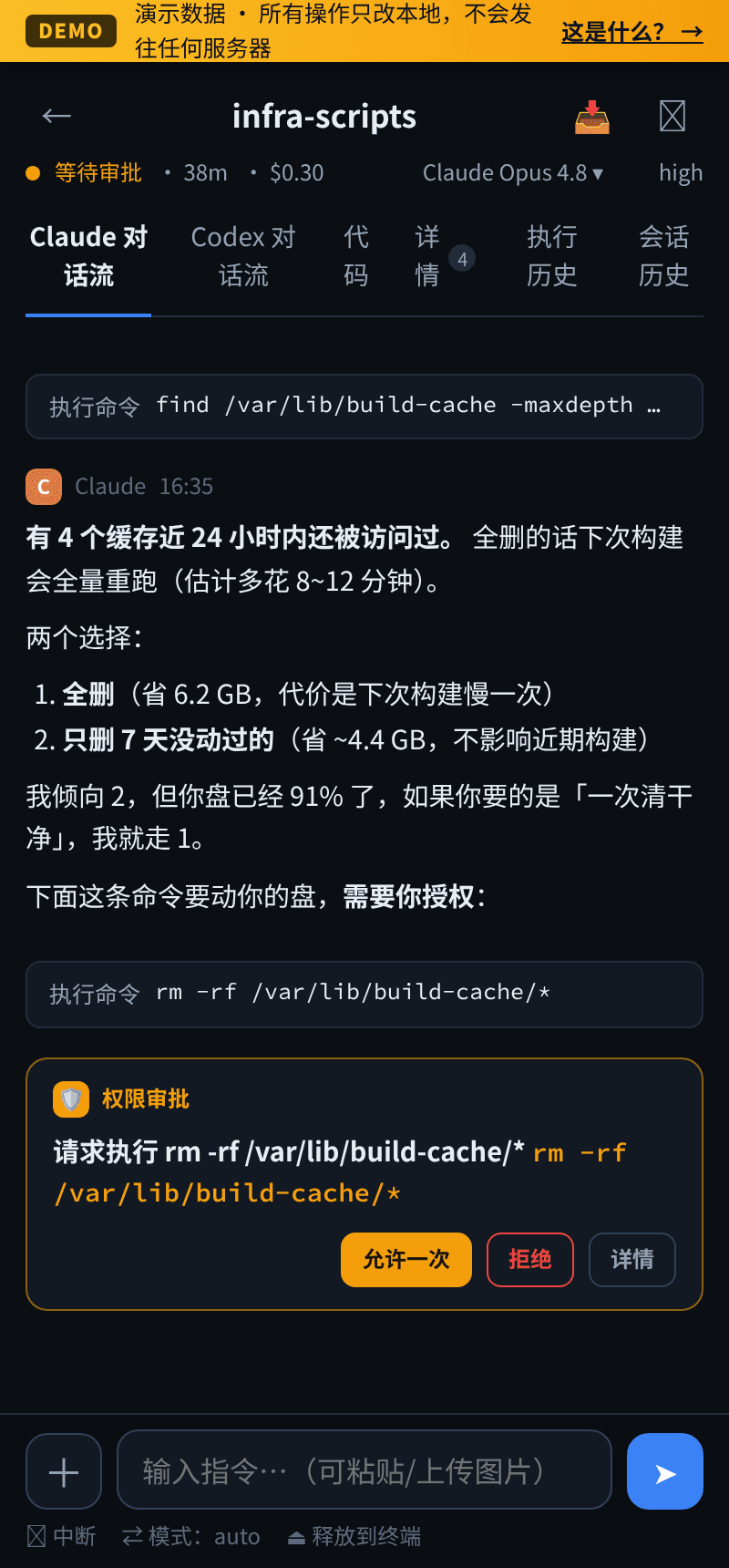
Approvals, plans, questions and changes awaiting review in one place. Handle supported decisions from a mobile or desktop browser.

Three CLIs, one console

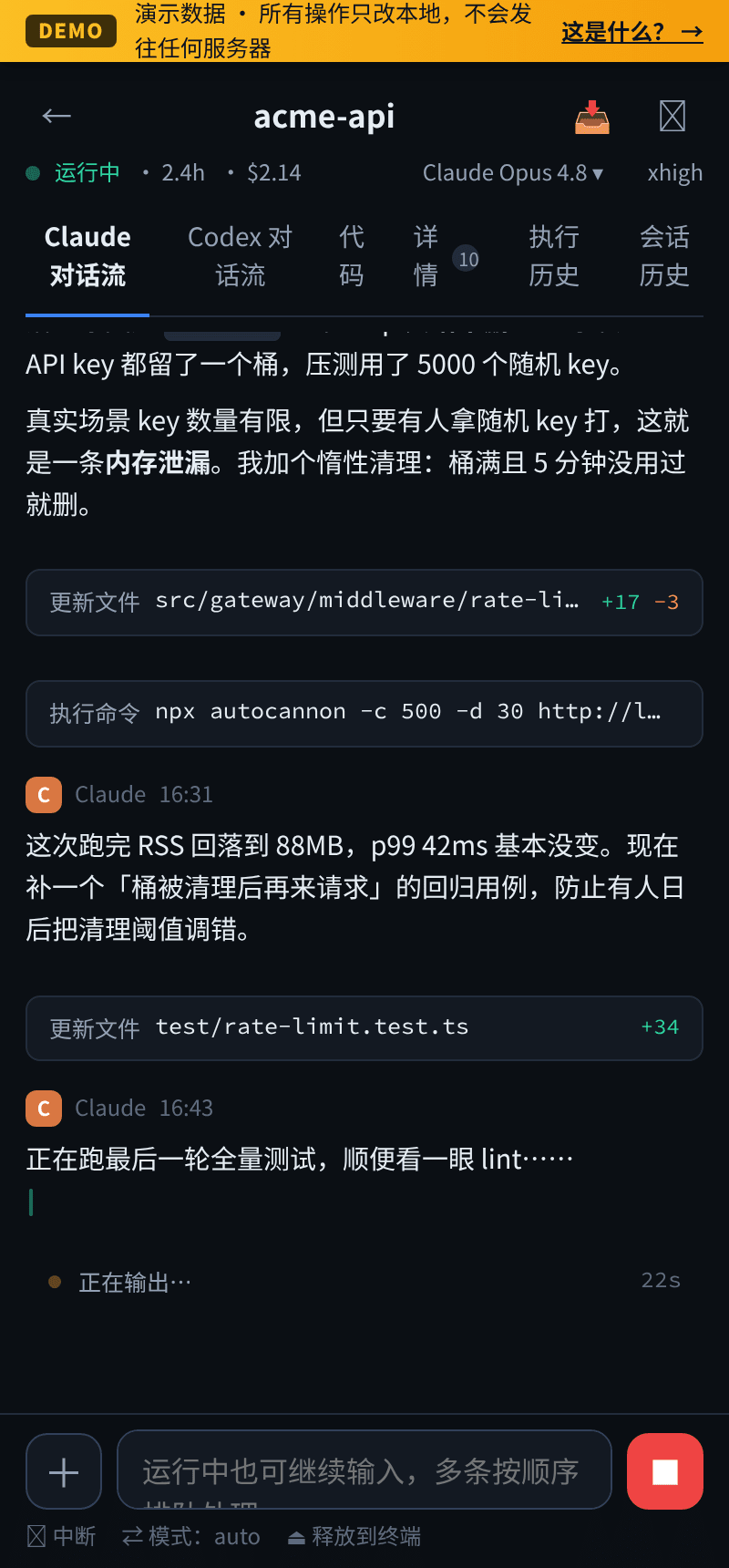
Codex, Kimi and Claude keep their own accounts and sessions. View conversations and tool events; capabilities depend on each CLI and driver.

Supplement now, queue next

Add context to an active Codex turn, or queue an independent follow-up. Supported recovery respects existing session writers.

Terminals, files and images

Inspect artifacts, screenshots and QR codes. Native and container lifecycles differ: replacing a runner stops its CLIs; preserve volumes and reload sessions.

Evidence-backed progress

Retrieve what was assigned, what the record reports, how it was handled and what risks remain. Missing evidence is not treated as completion.

Quota and consumption

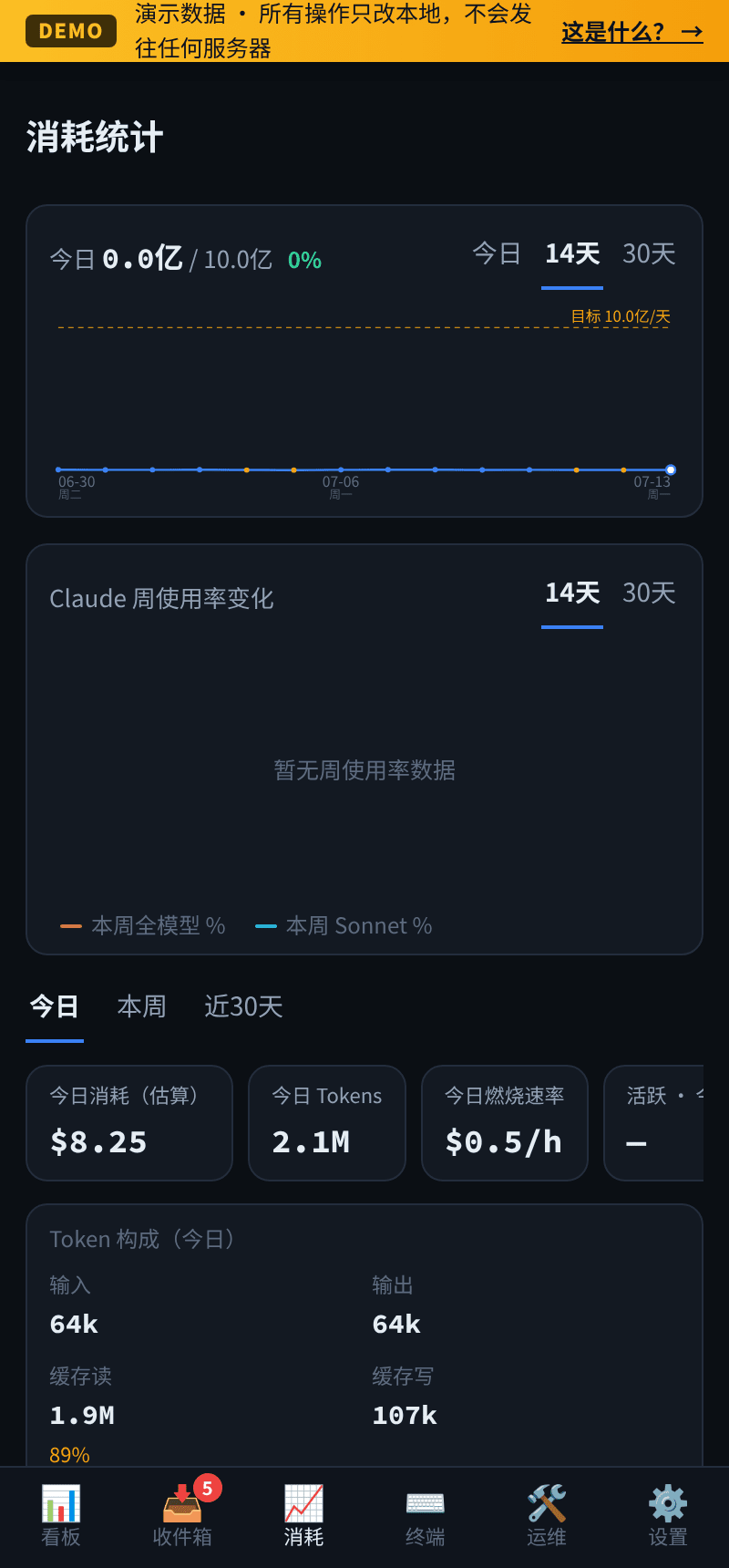
Track windows, reset times and sampled quota history separately from daily Token trends. Assistant calls retain reported model, usage and compatibility warnings.

Read-only MCP

Eight bounded tools share managed-node state, sessions, pending items and task evidence with trusted external assistants. No execution or approval permissions.

Versioned downloads

Linux amd64/arm64 images and Mac/Windows Docker Desktop launchers, with checksums and persistent storage. For one administrator or a trusted small team.
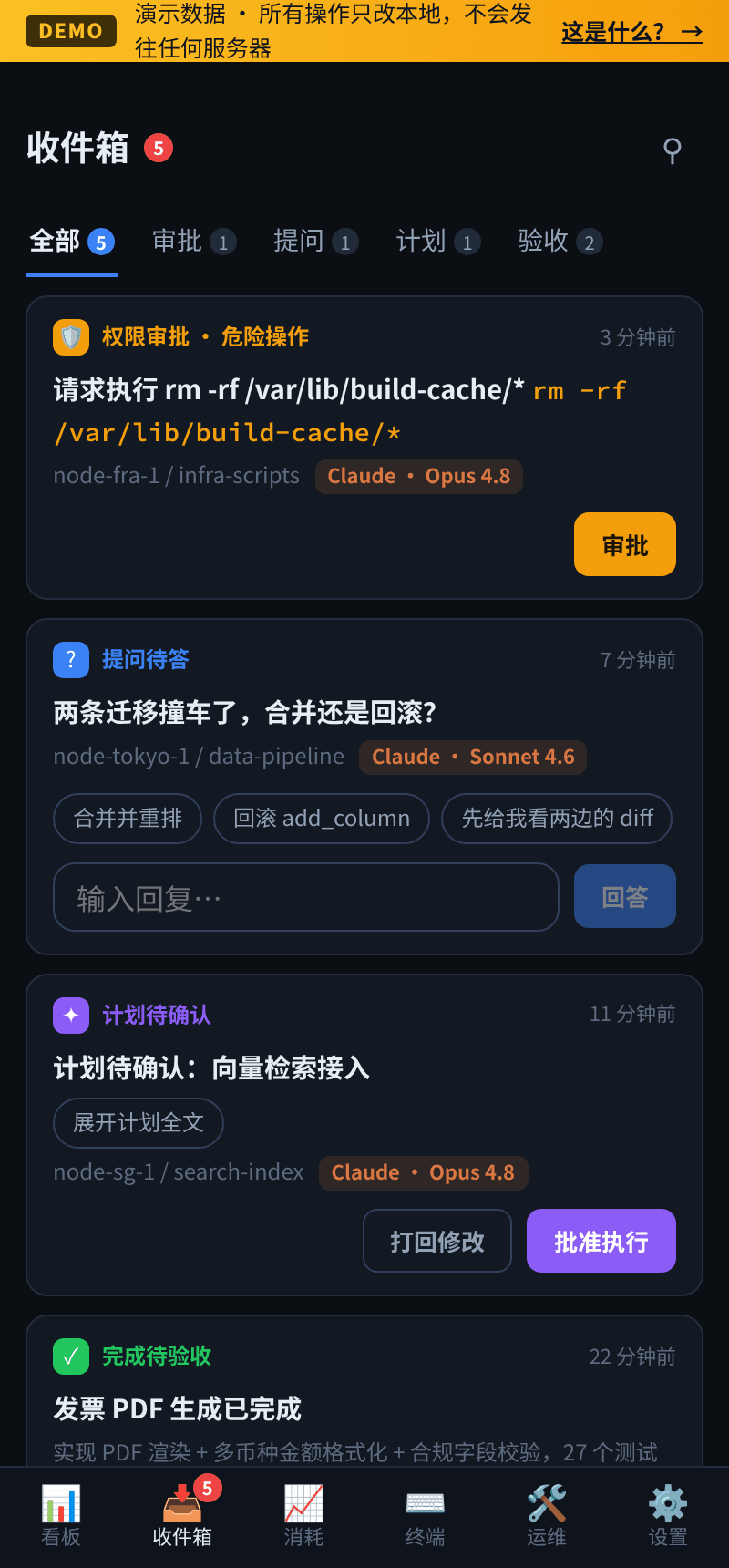
Explore the interface

Screenshots use fictional demo data. Open the demo to explore the current interface.

Fictional pending-work inbox
Inbox · decisions in one place
Example approval request
Approval · inspect the request
Example conversation and tool events
Conversations · tools and text
Fictional consumption statistics
Consumption · follow past work

Get started

Install Docker first; use Docker Desktop on Mac/Windows. Download and extract the platform ZIP, or clone the public source:

git clone https://github.com/jeanron100/web-agents-oss.git
cd web-agents-oss
./scripts/quickstart.sh --runner --pull

Open http://localhost:5188. Fresh container installations use admin / admin123. You must set a new password of at least 12 characters before project or terminal access. Upgrades preserve existing accounts. Sign into vendor CLIs with your own accounts.

Releases & checksums · Mac/Windows guide · Features & alternatives

Release candidate. No prerelease production-support SLA. No untrusted-tenant isolation or native Windows/macOS process adoption. Claude inference is outside the current public vendor-account validation; see the release documentation.